Customer Service
Need some help with your Tissot watch?
Find your answers on our Customer Service page.
F.A.Q.
General
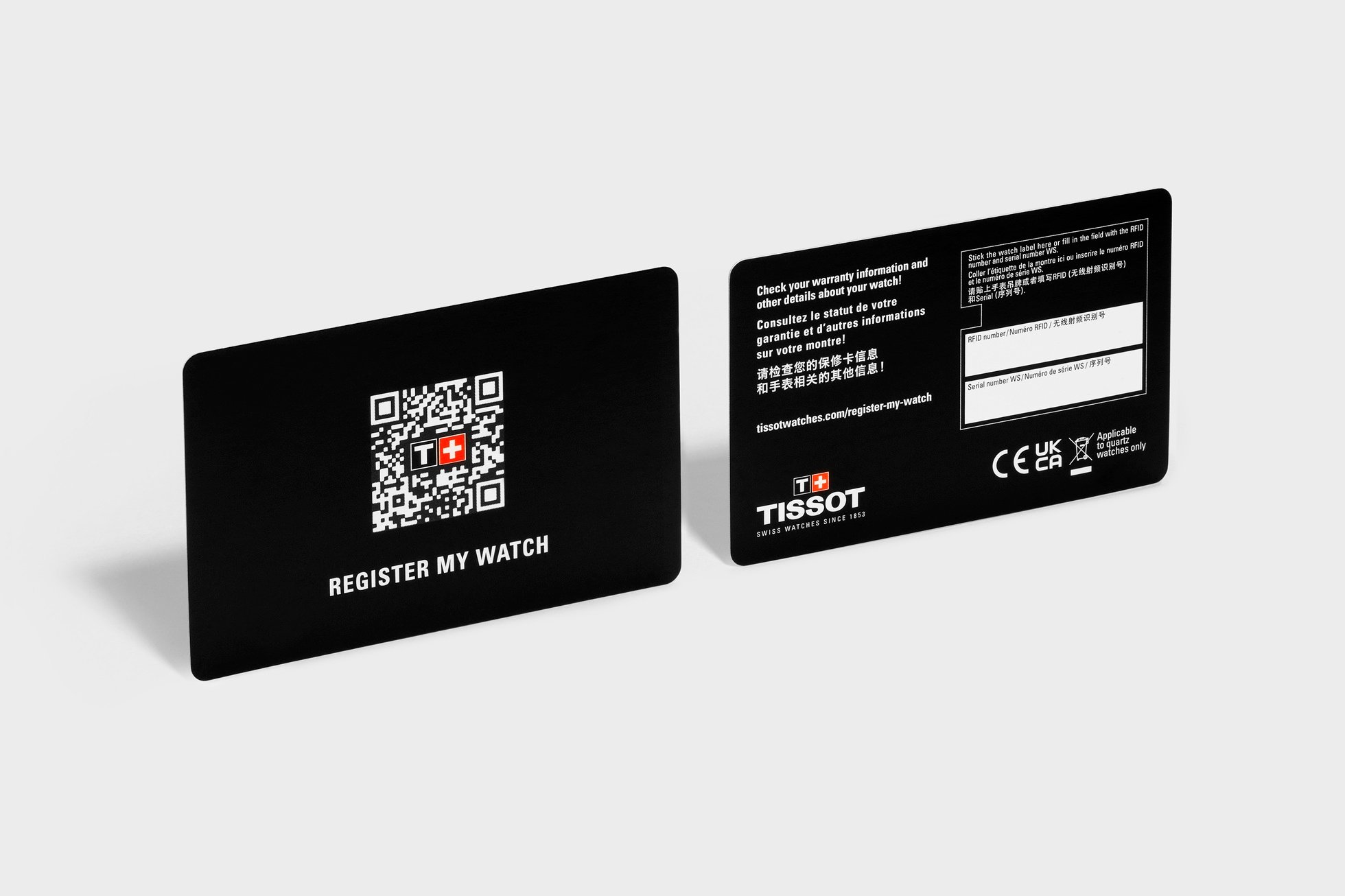
By creating an account on our website, you can register your watch and access its warranty and user manual ("Register my watch" section). By doing so, you will enable us to provide you with a personalised service. Tissot will not share your details with third parties.
Swatch Group ensures the technical and intellectual protection of its products (jewelry, finished watches, movements, semi-finished products and components) at all levels to safeguard their intrinsic value. It does so by protecting technical innovations with patents and valorizing its technological assets through the protection of trademarks, designs or copyright, and by defending each of these rights. Any infringement of the intellectual property or expertise of Swatch Group companies will be immediately subject to legal action, and the counterfeiting and piracy of products and services will be tackled firmly. To this end, Swatch Group has a dedicated anti-counterfeiting team and works closely with the Federation of the Swiss Watch Industry (FH) and with the customs authorities, police and other criminal and administrative authorities of the various countries in which it operates, as well as at international level, in particular with Europol.
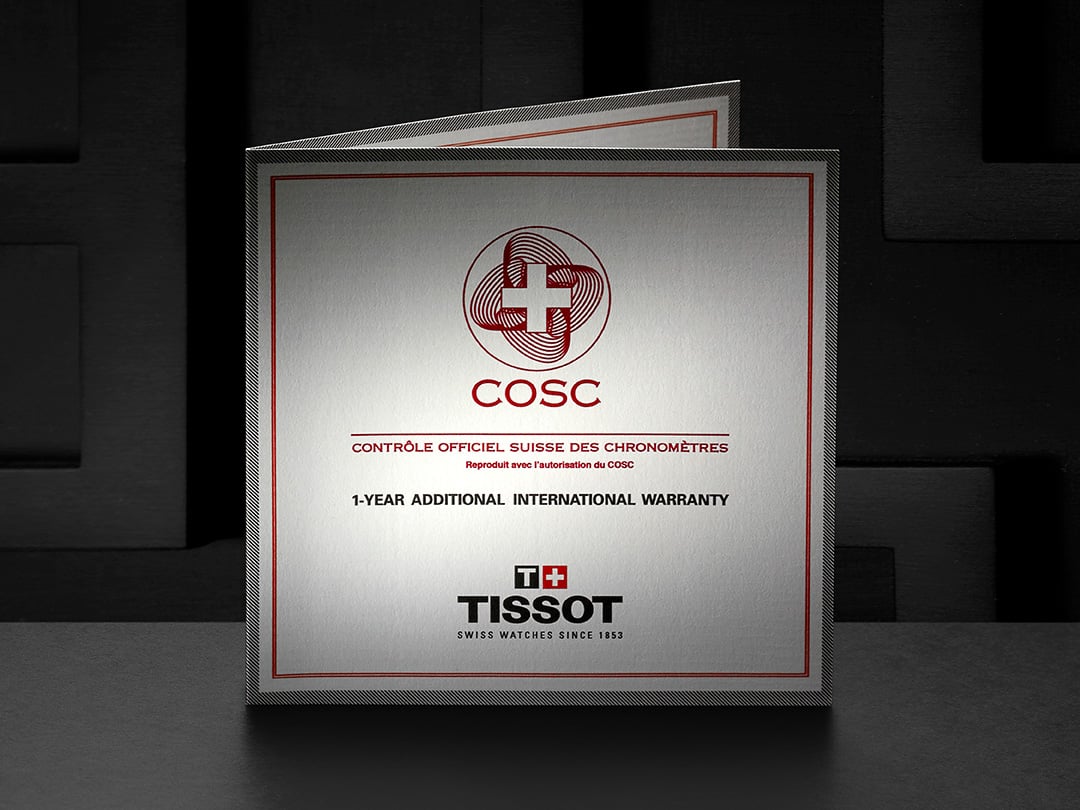
All Tissot watches are covered by a 2-year international warranty. Lightmaster Solar Technology and COSC certified models are covered by a 3-year international warranty. When placing an order on our website, your digital warranty is automatically activated on the date of the purchase. You will not be provided with a warranty card but you can access your warranty details by registering your watch through our "Register my watch" program.
Tissot sells its watches exclusively through its worldwide network of authorised retailers, whose addresses can be consulted in the Points of Sale section, as well as through its official Tissot Online Boutiques. Since 2014, our watches have been identifiable thanks to our ''WS'' (Watch-Secur) numbering system, which allows them to be identified and their warranty to be activated on our website.
If you have any doubts about the origin of your watch, you can contact our customer service via the contact form (Customer Service section, tab: ASK US A QUESTION) or see your nearest service centre in order to carry out a full analysis of your Tissot.
Register my watch
You have the possibility to register your watch on the official Tissot website using your watch’ serial number. Upon registration, you may be notified that your serial number has already been registered. There can be several reasons why this message appears when registering your watch on the Tissot website.
- Second-hand purchase: if your watch was bought second-hand, its registration history may already exist.
- Multiple registrations: some customers register the same watch more than once, often under different user accounts.
- Counterfeit concerns: in some cases, repeated registrations may indicate the presence of counterfeit watches using the same serial number. Please refer to our question “What is Tissot commitment against counterfeiting?
Connected watches
Training zone data is currently calculated on the basis of the user's registered age. Today, this data is based on a standard user average.
The watch itself has no built-in GPS. When you start an outdoor activity in the T-Connect app, your phone’s GPS chip determines your position and streams it to the watch via Bluetooth. Accuracy therefore depends on:
• the quality of your phone’s GPS hardware and software
• how many satellites the phone can get
• local conditions (tall buildings, heavy tree cover, bad weather).
For the most accurate track, keep the phone with you, ensure location services are turned on, and give the phone a few seconds to lock onto the signal before you begin.
The T-Connect app automatically uses the language set on your phone and currently supports:
English // Chinese (Simplified & Traditional) // Danish // Finnish // French // German // Italian // Japanese // Korean // Malay // Norwegian // Polish // Portuguese // Romanian // Russian // Spanish // Swedish // Thai
If your phone is set to any other language, the app will default to English.
A full service every 4‑5 years keeps the watch in top shape. Spare parts are guaranteed for at least 10 years after production ends.
◊Smartphone ◽T-Touch Connect Solar
1. ◊Disconnect application account (Settings/My Profile/Disconnect)
2. ◊Uninstall application
3. ◊Open the device in Bluetooth settings
4. ◊Restart phone (make sure customer knows pin code)
5. ◽Restart the watch
1. ◽Activate touch screen
2. ◽""T-Touch"" function at 6 o'clock
3. ◽Turn crown until ""Return to factory settings"" is displayed (Setting / System / Return to factory settings)
6. ◊Ensure internet connection (install Tissot App: """"T-Connect"""")
7. ◊Connect customer account
1. ◊If watch search does not start automatically select watch logo with + (top of screen)
8. ◽Start watch in connection mode
1. ◽Welcome --> short press on crown
2. ◽Select language
3. ◽Pair mobile --> yes
4. ◊Confirm 6-digit code on phone (same as on watch)
5. ◽Confirm 6-digit code on watch (same as on phone)
6. ◽Firmware accounting check begins:
7. ◽If the watch's firmware is not the latest, an update begins and a loading bar is displayed.
8. ◽At the end, the new firmware version appears on the screen.
9. ◽Refuse the password on the watch.
10. ◽Restoration of watch data is complete.
9. ◊Parameterize application (authorize all phone requests)
You can follow these points in video via: https://youtu.be/ud6ri_wDm9M
Follow these steps on both your phone and your watch to restore a fresh connection:
On your phone:
1. Open the T-Connect app, go to Settings > My Profile, and tap Disconnect.
2. Delete or uninstall the T-Connect app.
3. In your phone’s Settings > Bluetooth, find T-Touch Connect Solar, tap the info icon, and choose Forget or Remove.
4. Restart your phone.
On your watch
5. Press the upper pusher until the screen lights up.
6. If needed, touch the screen to wake it.
7. Press the “T-Touch” area at 6 o’clock.
8. Turn the crown until you see Settings > System > Return to factory settings, then tap to confirm. The watch will restart.
Back on your phone
9. Make sure your phone is online, then reinstall T-Connect from the App Store or Google Play.
10. Open T-Connect and sign in with your Tissot account.
Pair and update
11. If the app does not automatically search for your watch, tap the + watch icon (top-left).
12. On the watch, press the crown briefly to start pairing, then select your language.
13. Choose Pair mobile → Yes on the watch.
14. A 6-digit code appears on both devices. Tap Pair in the app, then press the crown to confirm on the watch.
15. The app checks your watch firmware. If an update is available, leave the watch on its charger until the progress bar completes.
16. When the watch shows Connected, its data will restore automatically.
Final step
17. In the T-Connect app, grant any requested permissions (Bluetooth, notifications, health data).
You can also watch a video walkthrough here: https://youtu.be/ud6ri_wDm9M
At the moment, you can’t update your email inside the app. If you need to switch to a new email address, please contact Tissot Customer Service via the Contact Us page:
https://www.tissotwatches.com/contact-us
They’ll handle the change for you.
Press the crown, go to Settings > Advanced > Reset, then confirm. This wipes the watch, but data stored in your T‑Connect account remains safe.
Rinse the case and bracelet under lukewarm tap water, add a drop of mild soap and gently brush. Avoid pressing buttons under running water; never use abrasive cleaners or ultrasonic baths. After sea or pool use, rinse in fresh water. Leather straps: wipe with a damp cloth and let them air‑dry away from heat.
Not yet. We’re working on adding this feature.
In T‑Connect, open Settings > Connected apps and allow sharing with Apple Health.
No, your T-Touch Connect watch works only with the Tissot T-Connect app.
Only the T-Touch Connect Sport model offers multiple activity types (Running, Cycling, Indoor Workouts, etc.).
The T-Touch Connect Solar records only hiking by design, its hardware and sensors are optimised for that single activity.
No, the T‑Touch Connect watches does not include a payment system (Swatch Pay, Apple Pay, Google Pay, etc.).
Some Android phones don’t show the code in a pop-up window. Instead, swipe down from the top of your screen to open the notification shade and look under Bluetooth. Tap the notification to view the 6-digit code, then return to the app to complete pairing.
Keeping your watch and app up to date ensures the best performance. In T‑Connect, tap Settings > My watch. If you see Download, place the watch on its charger, follow the steps and allow 5‑15 minutes.
Our connected watches are manufactured with all our Swiss watchmaking expertise and available in a variety of colors and bezels, with noble materials such as ceramic, titanium and sapphire crystals, and with classic watchmaking finishes. What's more, the operating system for our connected watches is developed by Tissot, enabling us to guarantee a battery life far beyond anything our competitors can offer, as well as total confidentiality regarding data management. Finally, our connected watches are covered by a 10-year repair period following the production end date of the model in question.
On our new connected watch, we have removed the various sensors present on the first generation (barometric sensor, thermometer, compass). This has freed up a lot of space and enabled us to produce a smaller watch. We have also added a heart rate sensor to this new model, in response to the many suggestions made by our users of the first connect model.
T-Touch Connect Solar counts wrist movement (accelerometer) plus your age, height and weight.
T-Touch Connect Sport combines movement data with heart rate. It also adjusts calorie estimates according to the activity selected, such as running, cycling or hiking.
Short car or bus rides may still add a few steps; this is normal and within ±5 % accuracy.
To save battery, Bluetooth turns off after 2 hours without contact. Press any button to reconnect, or turn off Auto‑Sleep in Settings > System > Energy saving for a permanent link.
In T‑Connect, link your Strava account via Settings > Connected apps for automatic uploads.
For other services, open an activity, tap ⋮ > Share route and choose an app or export a GPX file.
For our watch's heart sensor, we use an optical system that captures skin movements through the pulse beat. A green light measures blood flow. Wear the watch one finger above the wrist bone; keep it snug but comfortable.
Your favorite watch is the one you wear most often, and it determines which device’s data appears on your app dashboard. If you have more than one T-Touch Connect paired, selecting a favorite prevents data from different watches from mixing together. You can change your favorite watch at any time in the T-Connect app under Settings > My watches.
Follow the Clean Connection routine:
Remove the watch from Bluetooth settings and uninstall T‑Connect.
Reset the watch (Settings > Advanced > Reset).
Re‑install T‑Connect, sign in, then pair again. A fresh link usually solves “Pairing failed” errors.
SwALPS (Swiss Autonomous Low‑Power System) is the ultra‑efficient software that stretches battery life to months while keeping your data on your wrist.
Yes, as long as they are within Bluetooth range (about 10‑20 m).
On the watch: Quick Settings > Find my phone, your phone rings.
In the app: Watch Settings > Find my watch, the watch vibrates and rings.
Typical use gives up to 6 months on one full charge. A sunny day can add roughly a week of power.
Is the Bluetooth icon showing on the watch?
In the app: Settings > Notifications, turn on the apps you want.
On your phone: allow T‑Connect to run in the background and send alerts.
In the app, go to Settings > Account > Delete account. Your cloud data is erased immediately and the watch is un‑paired.
Any Android phone from 2019 onward (Android 9 or later) and any iPhone running iOS 16 or newer. Open your app store and look for Tissot T‑Connect, if you can download it, your phone is compatible.
On your old phone, go to Settings > Bluetooth and remove T-Touch Connect from the list.
Delete the T-Connect app from the old phone.
Install T-Connect on your new phone and sign in with the same account.
On your watch, go to Settings > Advanced > Reset to prepare it for pairing.
A 6-digit code appears on both devices. Tap Pair on the phone, then press the crown to confirm on the watch.
Keep the watch and phone side by side until the watch shows Connected (about 30 s). Your data will sync automatically.
Your T-Touch Connect watch is now linked to your new phone.
• Install T‑Connect and switch on Bluetooth on your phone.
• For the T-Touch Connect Solar, press the crown for 2 seconds until the screen lights up, choose Pair mobile, confirm.
• For the T-Touch Connect Sport, press the top button until the screen lights up, choose Pair mobile, confirm.
• A 6‑digit code appears on both devices. Tap Pair on the phone, then press the crown to confirm on the watch.
• Keep the watch and phone side by side until the watch says Connected (about 30 s)
A black screen means the watch is either powered off or in Auto-Sleep mode:
Powered off:
• Press and hold the crown for at least 5 seconds to turn the watch on.
• If that fails, press all three push-buttons at once for 3 seconds.
• After turning on, you may need to pair again in the app.
Auto-Sleep mode:
• Press any push-button to wake the watch.
• It will reconnect automatically to your phone if Bluetooth is enabled.
Yes, time, alarms, stopwatch, timer and compass all work on their own. Smart functions (notifications, activity sync) need the T‑Connect app.
Range is typically 10–20 m in open space. The watch keeps the 50 most recent notifications; older ones drop off automatically.
Functioning of the watch
All Tissot watch cases undergo several tests, including a water resistance check. Tissot tests the watch's ability to resist impacts and pressure, as well as the penetration of liquids, gas and dust by replicating the real-life conditions in which the watch may find itself.
Tissot recommends to have the water resistance of a watch checked annually by an authorised service partner to ensure optimal performance over time.
Below we explain the meaning of our water resistance ratings in terms of the suitability range of a watch.
Water resistant up to a pressure of:
- 3 bar (30 m): suitable for hand washing
- 5 bar (50 m): suitable for hand washing and bathing
- 10 bar (100 m): suitable for showering and swimming
- 20 bar/30 bar (200 m/300 m): suitable for snorkelling and scuba diving
- 60 bar (600 m): suitable for professional diving (diver's watch according to ISO 6425 (2018) standard)
On a watch, a tachymeter is used to measure an average speed over a given distance. More precisely, it is a chronograph with a graduated scale on the dial or bezel, on which the speed can be measured in kilometres per hour based on a fixed distance of 1000 metres.
To use a tachymeter, only the central chronograph hand is used. Start the chronograph and stop it once the 1000 metres have been covered. You can then read the speed indicated on the dial by the central chronograph hand. Example: to calculate the speed of a car: the chronograph indicates that the distance of 1000 metres has been covered in 30 seconds. The central chronograph hand points to 120 on the tachymeter scale. The average speed over 1000 metres is therefore 120 kilometres per hour.
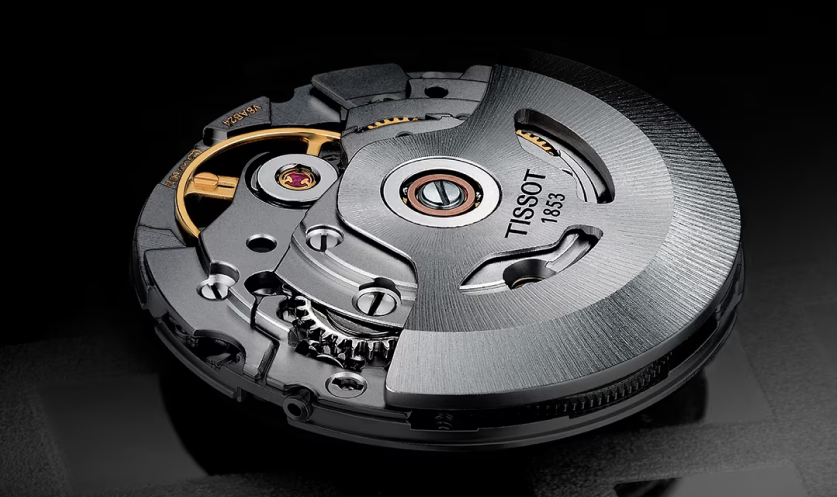
Both types of movement are mechanical, but they have to be wound in different ways. A hand-wound watch has to be wound every day by hand using the crown, while an automatic watch has an oscillating weight on the movement that winds the watch using wrist movements, hence the term "automatic".
There are two accepted ways of writing the number 4: IV and IIII. Various historical explanations coexist. In particular, we know that the IIII was used for more than 4 centuries, to avoid confusion between the IV and the VI, when the watch is upside down. Another theory explains that in the 16th and 17th centuries, the IIII was used to make it easier for people who couldn't read to tell the time. Or it may simply be an aesthetic choice, as the IIII balances well with the VIII opposite.
A watch bezel is a ring fitted to the case, which is often used to record additional data, such as the time of an event, or to read the time in a second time zone. A bidirectional bezel can be rotated in both clockwise and anti-clockwise directions. A unidirectional bezel, on the other hand, can only be rotated in one direction, to prevent it from being accidentally turned in the wrong direction, thereby distorting the measurements. For example, if you want to measure dive time, any incident or false manoeuvre can only reduce the limits initially set, and prevent the user from misinterpreting his air reserves or decompression time.
To use a unidirectional bezel for scuba diving, set the main marker (initially positioned at 12 o'clock) on the bezel to the planned end of dive time. When the minute hand reaches the main mark on the bezel, the planned dive time will have elapsed. For example, for a 30-minute dive started at 15:00: align the main marker on the bezel with 15:30 min (at 6:00) just before diving. The minute hand will need 30 minutes to reach the main mark on the bezel, thus indicating the remaining dive time.
Service maintenance
To check the compatibility of a new strap for your watch, our customer service is at your disposal via our contact form. In order to provide you with the best possible response, we kindly ask you to provide us with the reference number of your watch. You can also contact our official partner boutiques for further information.
Only service centres that meet strict criteria relating to equipment and technical skills are supplied with original Tissot spare parts. Every customer can therefore benefit from a service that meets Tissot's high standards of excellence. However, there is an exception concerning our new bracelets equipped with the quick-change system, which you can order on our website. *Offer limited to certain countries, please make sure you select your country correctly at the top right of the page using the flag symbol.
The prices shown in the Customer Service section should be considered as a guide only. Many international laws do not allow public prices to be imposed. For this reason, each independent approved service centre is free to set its own service prices. However, the public prices recommended on this site are valid in the official service centre belonging to Swatch Group Ltd. in the country in question. Information is available in the Customer Service section.
*The prices given are those of the country in question, please ensure that you select your country correctly at the top right of the page using the flag symbol.
Like any high-precision instrument, a watch needs to be serviced periodically to ensure it is working at its best. The frequency of servicing depends on the model, the climate and the care you give it. As a general rule, we recommend that you have your watch serviced every 4 to 5 years by a Tissot Authorised Service Centre.
We guarantee the availability of spare parts for a minimum of 10 years and up to 20 years for gold watches, from the date production of the watch ceases. If, for any reason, production of a particular spare part is stopped or postponed, we reserve the right, at our sole discretion, to offer an alternative solution to the customer. Thereafter, we will use our best endeavours to maintain collector's items.
All servicing of your watch must be carried out by one of our authorized service centers. Any service not carried out by an authorized service center will void the warranty. A complete list of service centers is available in the the Customer Service section, tab: find a service center.
Lightmaster technology
The watch's crystal captures the energy contained in light (natural or artificial) by means of solar cells (like a solar panel), which use this energy to power the movement.
This technology has long‑lasting reliability. Over time, the solar cell gradually loses efficiency, rather like any other device that wears out. It continues to work, but converts light into electricity a little less efficiently. This natural phenomenon, specific to solar technologies, is known as the Staebler-Wronski effect.
The grid visible under the crystal is the active photovoltaic layer, a technology that captures light and converts it into electrical energy. This electricity is used to power the watch and recharge its battery, thus keeping it running. However, for physical reasons, a solar cell cannot be totally transparent. The visible grid is therefore necessary for capturing light effectively, while leaving the remainder of the crystal transparent. This technological compromise allows solar energy to be embedded in an elegant, functional design.
This structure is both unobtrusive and high-performing: the solar cell provides good electrical efficiency, while remaining almost invisible no matter what angle it is viewed from.
To charge a Tissot PRC100 Solar, you need to expose it to light. The level of charge will vary according to the nature and intensity of the light.
When fully charged, the watch can operate for up to 14 months without energy (i.e. light).
Your solar-powered watch is equipped with an E.O.E. (End of Energy) indicator. If the seconds hand jumps every 4 seconds, your watch needs exposing to light. At this stage, its power reserve is still around 18 hours.
Online shop
You will receive a confirmation email including all details about your order within 10 minutes following its validation. This automated email will be sent to the address used to place the order. If you did not receive the confirmation email, we encourage you to check your junk inbox or contact our Customer Service team at eshop.hk@tissotwatches.com.
As soon as your order is dispatched, you will receive a new email including a link to track your parcel throughout the delivery phase.
If you were logged in to your Tissot account while placing the order, you will be able to track your order from the “Orders” section of your account.
We are doing our utmost to shorten delivery lead times and ship your order as quickly as possible. As a consequence, it is not possible to modify or cancel orders once placed.
If you would like to modify the shipping information, please wait for the shipping confirmation email sent by the carrier and contact them directly using their contact form or phone number.
If you would like to cancel your order, please fill in our returns form (Please click 'Return request' on the bottm right corner at the website) and send your parcel back to us once received following our returns process. As soon as we receive your item, unworn and with all additional accessories, we will proceed with your refund.
The following payment methods are available on our UK website:
- Card payments (Visa, Mastercard and American Express)
- Apple Pay
- PayPal
- Alipay
- Alipay HK
In order to guarantee data protection, we encrypt all data related to your purchase or your Tissot account. Tissot does not store any data related to your payment.
You can download your order invoice directly from the “Order” section of your Tissot account, if you were logged in when placing the order. Otherwise, if you have placed your order as a guest, your can send a request to our Customer Service team at eshop.hk@tissotwatches.com who will provide you with the invoice
We deliver our parcel via SF Express. It usually takes 1 working day for delivery. For some exceptional cases, it can be up to 15 days depending on the delivery situation. Please note, due to security concern, we only accept parcel delivery with signature. Hence we are not able to arrange delivery to SF locker or SF center.
As advised in our 14-day return policy, you can send your item back to us to request a refund. The item needs to be in stock condition for your request to be accepted.
Please visit https://www.tissotwatches.com/en-hk/conditions-of-sale-202411.html for more details.
To return, please send your parcel to the following address via SF express using ‘pay on arrival’ service, Tissot will bear the delivery cost. Please state your online order number on the parcel within 7 days after receiving our online authorization form :
The Swatch Group (Hong Kong) Limited
Unit 803-804 8/F Kerry Centre
683 King’s Road, Quarry Bay, Hong Kong
Attn: Customer Service Center
We also accept return of online orders at our stores during store operation hours. Please proceed to the store 1 business day after receiving our online authorization form, and quote your order number to our frontline staff.
If you would like to view one of our models or try it on in store, you can use our Check & Reserve option. On most product pages on our website, the “Reserve in store” option will enable you to reserve a watch in a store of your choice.
The store team will contact you directly to confirm the availability of the watch and organise an appointment to visit their stores and try on the product, without obligation to purchase.
The reservation is subject to stock availability in the chosen store. Please await confirmation of your appointment prior visiting the store.
Creating a Tissot account enables you to track your orders, complete fast track check out, manage your newsletter subscription and register your watch to access your warranty information, user guide and more.
To create a Tissot account, please fill in our account creation form.
If you already have a Tissot account, you can log in by clicking the following link: https://www.tissotwatches.com/en-hk/customer/account/login/. You can also log in during our checkout process, which will enable you to track your order from the “Orders” section of your account.
We currently do not provide engraving service on Tissot HK website.
Our “Register My Watch” program enables you to access your watch warranty, user guide and much more directly from your Tissot account.
Should you wish to register your watch, please follow the steps below:
1. Go to the Register My Watch section or click the following link: https://www.tissotwatches.com/en-hk/register-my-watch
2. Click on “Register my watch”
3. Identify your watch using the Watch-Secur number engraved on the case back or the RFID number indicated on your watch label
4. Confirm your watch information by adding it to your collection
5. Log in to your Tissot account or create one to access your watch and warranty information
If your Watch-Secur number or RFID number is not recognised by our system or if the status of your digital warranty is not activate, please contact our Customer Service team at customerservice.hk@tissotwatches.com.
In order to find an alternative strap for your Tissot watch, please use our strap compatibility tool, available here: https://www.tissotwatches.com/en-hk/bracelet.html.
The reference number you are asked for corresponds to the family of product and can be found on the back of your Tissot watch. The reference starts with T, and is followed by 6 to 13 numbers.
If the selection of straps is not to your liking or if no match was found for your search, please send an email to our Customer Service Team at Customerservice.hk@tissotwatches.com, mentioning your watch reference and the type of strap you are looking for (material, clasps etc.).